







Check your Health Connector plan details by following these steps:
- First, sign in to your account
- In the main menu at the top of the page on desktop, or by clicking the “Menu” on mobile, go to “Plans.”

- On the Plans page, you can review your current, future, or both health and dental plans.
Desktop Detail
- If you selected a plan and have not made a payment yet, note that your enrollment in your chosen plan will not be complete until your first premium payment is made. If you change plans, you will need to make a payment to complete enrollment in that new plan.
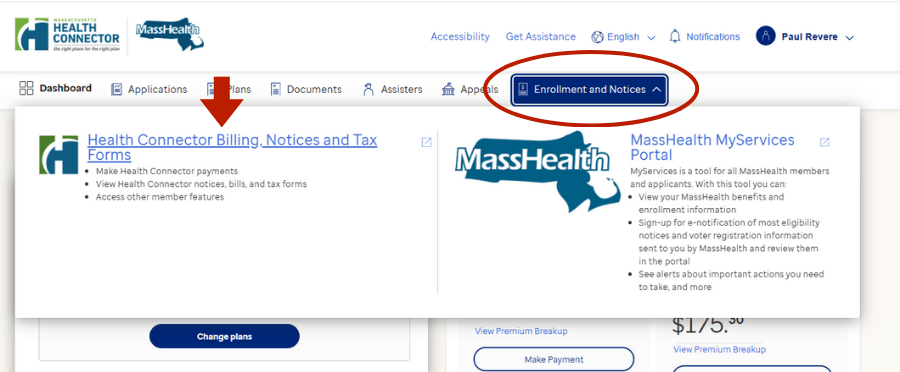
- If you are not sure if you made a payment, you can go back to the Dashboard in the main menu and click the “Make Payment” button, or go to the “Enrollment and Notices” menu and select “Health Connector Billing, Notices and Tax Forms” to go to the member portal. In the member portal, you can find payment information, including AutoPay, scheduled payments, payment history, and more.
Last Update: January 21, 2026